
9/3/2026 · Tutorials.app
How to update product instructions after the product has shipped.
Printed manuals freeze on the day they are printed. Here is how to correct, extend and version product instructions after units are already in customers' hands.
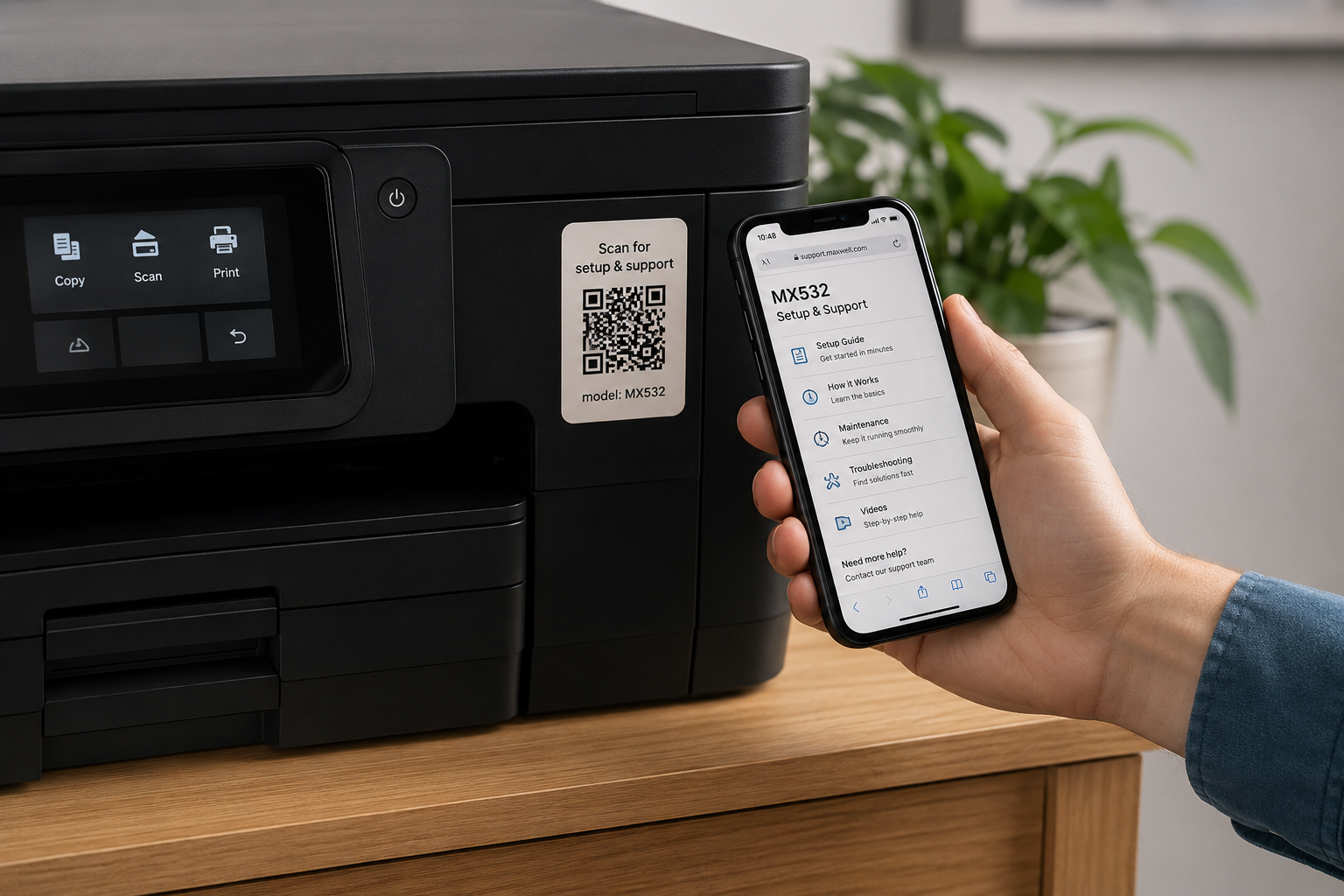
In short: you cannot change a printed manual after it ships, but you can change what a printed QR code points to. Publish instructions at a permanent URL, print the code once, and edit the content behind it whenever a step is wrong, a part changes, or support reveals a new question.
Every product team has had this moment: two weeks after launch, support notices that everyone is misreading step four. The manual is printed for the next eighteen months of units, and it is already in a few thousand homes. This is a structural problem, and it has a structural fix.
Why printed instructions freeze.
A print run fixes the content on the day it is approved - which is typically before the product met its first real customer. Everything you learn afterwards has nowhere to go: the clarified step, the new filter part number, the accessory launched a year later, the firmware change, the failure mode nobody predicted.
What changes after launch, reliably.
- Steps people misread — Usually the ones where two actions were combined into a single instruction.
- Part and consumable numbers — Suppliers change; filters, gaskets and blades get superseded.
- Hardware revisions — A slightly different latch or connector makes the original photo wrong.
- Firmware and app changes — Screenshots of a settings menu age faster than anything else in a manual.
- New accessories — Products bought last year should still learn about the attachment you shipped this year.
- Newly discovered troubleshooting — The real troubleshooting section is written by your support inbox over the first year.
- Safety clarifications — Field reports sometimes justify a stronger, clearer warning.
The mechanism: a stable address, changeable content.
Print a QR code that points at a permanent URL for that model. The code is a pointer, not a document. Republishing the page changes what every already-printed code delivers - including codes on products sold three years ago.
Do
Encode a permanent path on a domain you own, one per model.
Do not
Encode a file link with a version number, a campaign page, or a temporary sharing link.
Do
Keep the URL short so the printed code stays low-density and easy to scan.
Do not
Route through a third-party short domain you do not control.
A workable update process.
- Name an owner — One person is accountable for the instructions, the way one person owns the packaging artwork.
- Collect signals continuously — Support tags, returns reasons, reviews and analytics drop-off all point at the same weak steps.
- Fix urgent items immediately — Safety clarifications and outright errors do not wait for a quarterly cycle.
- Batch the rest — Review monthly or quarterly, publish in one pass, and note what changed.
- Keep a change log — Date and describe each revision. Regulated categories may require it; everyone benefits from it.
- Re-test the scan path — After restructuring, confirm the printed code still lands where the label promises.
Handling multiple hardware revisions.
When the product changes materially, resist rewriting one page to cover both versions. Give each revision its own address and print its own code, and let the shared page - if you keep one - start with an unmistakable way to tell the versions apart, such as a photo of the difference or the serial number range.
Do not silently rewrite everything.
Editability cuts both ways. For safety information, regulated content and anything a customer may have relied on, keep dated revisions and a visible change history rather than quietly replacing text. Check the record-keeping requirements for your product category and markets.
What to do if your manual is already printed.
- Add a sticker or insert — A code on a label applied to the current inventory reaches the units still in the warehouse.
- Publish an errata page — Correct the known misread step at a URL you can point support and customers at today.
- Put the code on the product at the next revision — A plate on the unit outlives the box and the booklet.
- Shrink the next print run — Move to safety plus a quick start guide, with the full manual behind the code.
The broader case for this approach is in digital product manuals and paper vs. digital, and the printing details in QR codes on product packaging.
Can I change what a printed QR code points to?
You cannot change the encoded URL, but you can change the content at that URL. That is why the destination should be a page you control, not a versioned file.
Will customers who already scanned see the update?
Yes - the next time they open the page they get the current version, with no action on their part.
How do I notify existing owners of an important change?
For safety-critical changes use your normal customer-notification channels. The digital manual ensures anyone who checks the instructions sees the corrected version.
Should I keep old versions available?
For regulated or safety content, yes - keep dated revisions. For ordinary clarity fixes, the current version is what customers need.
What if we discontinue the product?
Keep the page live. Instructions for a discontinued product are still the difference between a repair and a landfill.
Fix a confusing step tonight, not at the next print run
Publish instructions to a permanent address, print the code once, and keep improving what it opens.
Start free