
9/2/2026 · Tutorials.app
Quick start guide vs. user manual: what is the difference?
What belongs in a quick start guide, what belongs in a full user manual, when you need both, and how to structure each so customers find the right one at the right moment.
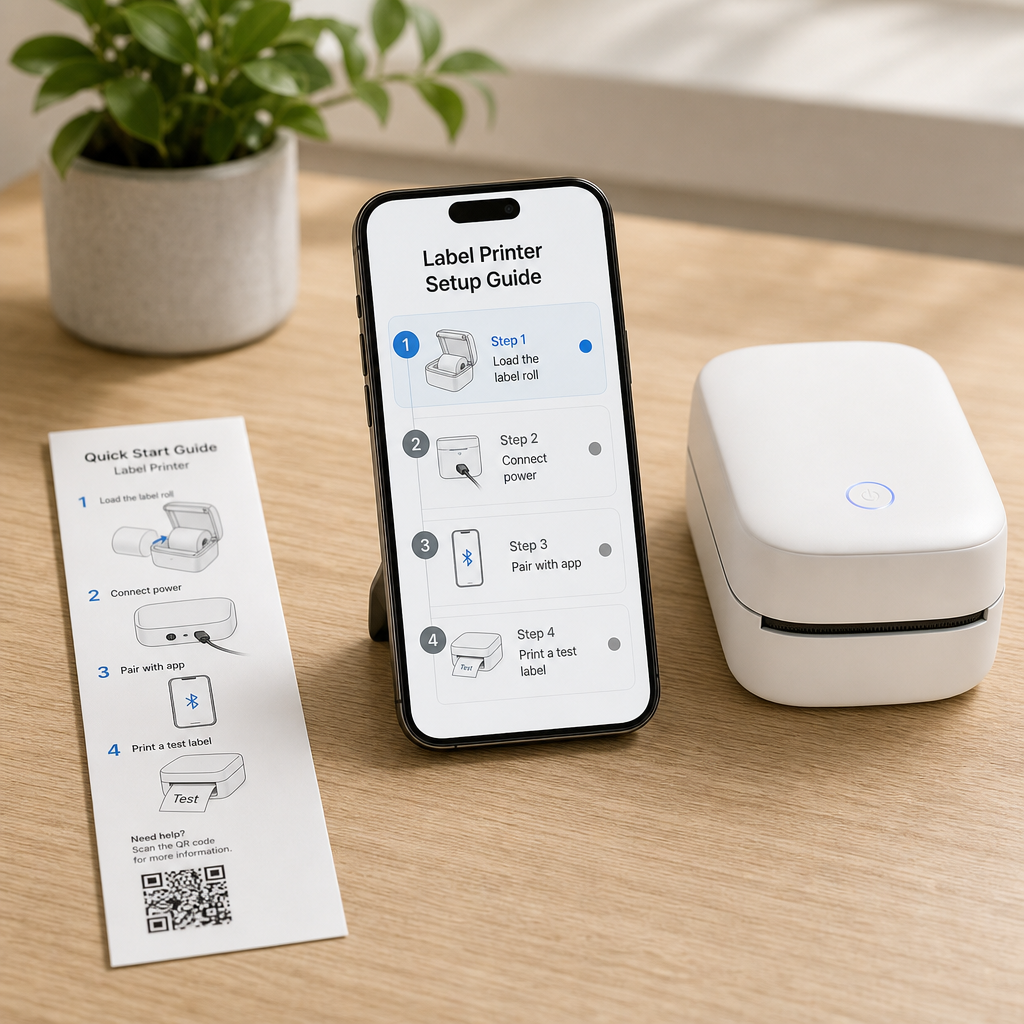
In short: a quick start guide gets someone to first successful use in a few minutes and contains only what is needed to get there. A user manual is the complete reference for the life of the product - operation, settings, cleaning, maintenance, troubleshooting, parts and warranty. Most products need both, and the two should link to each other.
These two documents fail in opposite ways. A quick start guide that tries to be complete stops being quick. A user manual that tries to be friendly ends up missing the answer someone needs at year three. Keeping them distinct is what makes both usable.
The difference in one table.
Goal
Quick start: first successful use. Manual: every question for the life of the product.
Length
Quick start: one card or a handful of screens. Manual: as long as the product requires.
Read when
Quick start: minute one, standing over an open box. Manual: whenever something specific comes up.
Structure
Quick start: a strict sequence. Manual: a reference you jump into.
Content
Quick start: unbox, assemble, power on, first use. Manual: plus settings, cleaning, maintenance, troubleshooting, parts, warranty.
Tone
Quick start: short imperatives. Manual: precise and complete.
Failure mode
Quick start: bloats into a manual. Manual: too vague to answer the odd case.
What belongs in a quick start guide.
- What is in the box — A photo of every part, so a missing item is caught before assembly begins.
- Critical safety for first use — Only what applies in the next ten minutes.
- Preparation — Remove transit protection, charge, rinse, fill, season.
- Assembly, if unavoidable — One action per step, photo of the real part, expected result stated.
- Power on and first use — The shortest path to the thing the customer bought the product to do.
- One line about where to find more — A code or short URL to the full instructions.
What belongs in the user manual.
Everything else, organized around questions rather than departments. The full coverage list is in the product instruction manual checklist, but the manual owns operation and settings, cleaning schedules, maintenance intervals and consumables, troubleshooting by symptom, storage, replacement parts, warranty terms and support contact.
How to keep a quick start guide quick.
- Cap the steps — Aim for five to nine. If you need fifteen, the product needs simplifying more than the document does.
- Cut every "you can also" — Options belong in the manual. The quick start has one happy path.
- No specifications — Nobody reads a voltage table while holding two brackets.
- Ruthless about edge cases — If it affects one customer in fifty, it is a manual entry.
- End with a success signal — Tell people how they know they are done: "the light turns solid green".
Do you need both?
For anything with assembly, consumables or a cleaning routine, yes. A single combined document forces one audience to suffer: either the new owner wades through maintenance schedules, or the long-term owner cannot find the descaling interval. Two documents, clearly linked, serve both.
The modern arrangement: printed quick start, digital manual.
The split maps neatly onto print and digital. Print the quick start - it must work with no device, no signal and no phone battery - and put the full manual behind a QR code on the product. You keep the offline first-run experience while gaining the ability to correct and extend the reference material for years. The trade-offs are laid out in paper manuals vs. digital manuals, and the build in how to create a QR code instruction manual.
Structure them differently, deliberately.
Quick start: a sequence
One instruction per screen or panel, in strict order, with no way to get lost.
Manual: a menu
A list of clear entry points people scan and tap into - cleaning, error lights, parts.
Why it matters
Sequences are for people who do not know what comes next. Menus are for people who know exactly what they want.
Cross-link both ways
The quick start ends by pointing at the manual; the manual opens with a link back to setup.
That is the difference between the two tutorial formats we support - a step-by-step sequence and a stacked card list. See the features overview for how each behaves on a phone.
How long should a quick start guide be?
Short enough to finish standing up. Five to nine steps on one card or a handful of phone screens is a good target.
Is a quick start guide legally sufficient?
Required documentation depends on product category and market. Treat the quick start as a usability decision and verify compliance requirements separately.
Can the quick start guide be digital only?
It can, but it is the one piece most worth printing, because it is needed before anyone has looked for a link or found a connection.
Where does troubleshooting go?
In the manual - with one exception: the single most common first-run failure is worth a line in the quick start.
Should both documents have the same structure?
No. The quick start is a linear sequence; the manual is a browsable reference. Matching their structures makes one of them worse.
Publish a quick start and a full manual from one place
Build a step-by-step guide for setup and a stacked card list for reference, both on your own address.
Start free