
8/27/2026 · Tutorials.app
Digital product manuals: the complete guide for physical products.
What a digital product manual is, how it works, what to include, and how brands use a QR code to give customers instructions that stay current after the product ships.
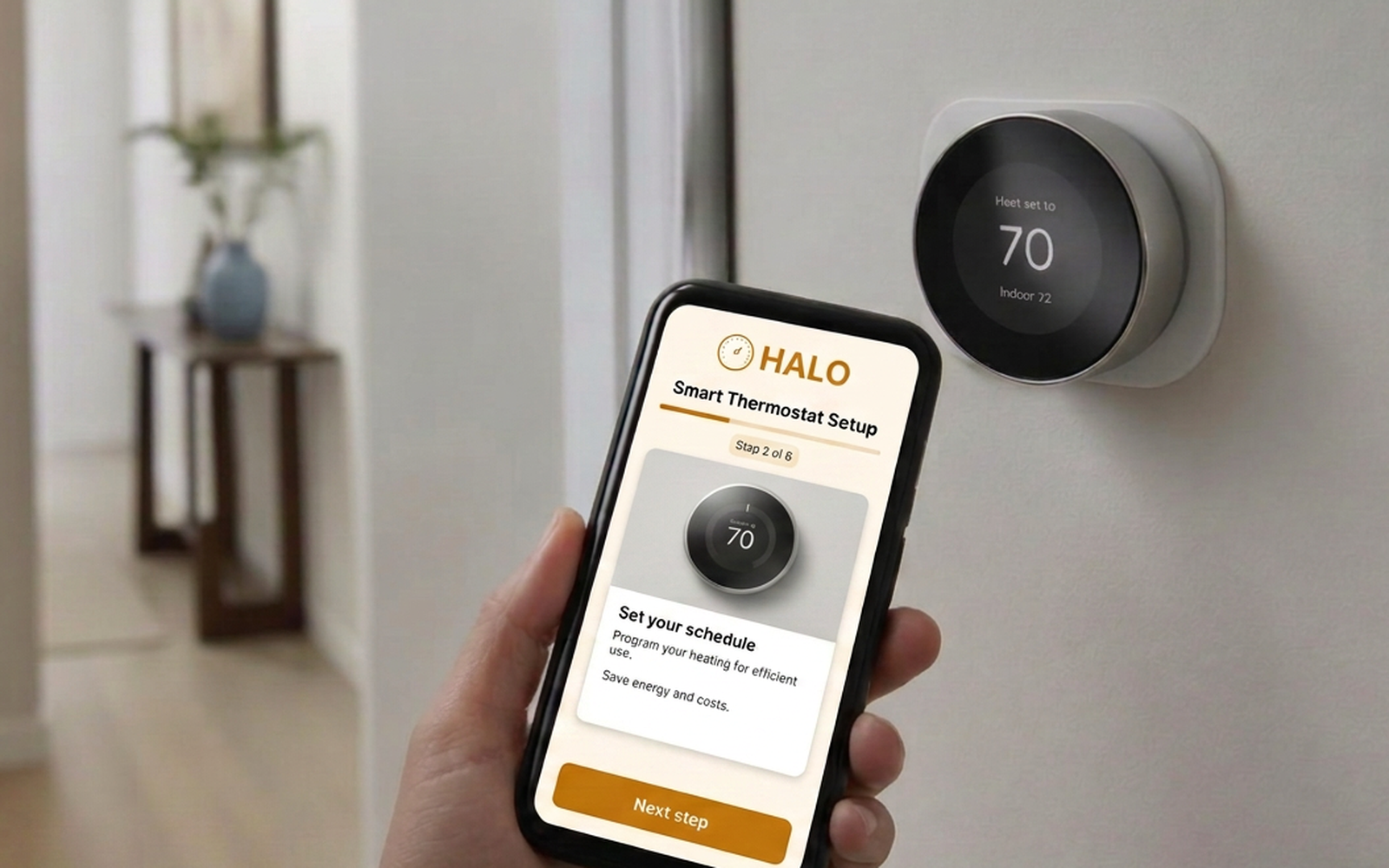
In short: a digital product manual is a mobile-friendly set of instructions for a physical product, published on the web and reached by scanning a QR code or opening a short link. It replaces or supplements the printed booklet, can include photos and video, and can be corrected or expanded long after the product has shipped.
Most instruction booklets are read once, in a hurry, by someone standing in front of a product they have never used. Then the booklet goes in a drawer, gets thrown out with the box, or turns out to be missing exactly the answer that comes up six months later. A digital product manual solves a narrow, practical problem: it puts the current instructions where the question happens, on the phone the customer already has in their hand.
What is a digital product manual?
A digital product manual is web-based documentation for a specific physical product — a coffee machine, a standing desk, a grill, a filtration system, an office display — designed to be read on a phone and opened from the product itself. There is nothing to install and, in most cases, nothing to log into. The customer scans a code or types a short URL, and the instructions for that exact model open.
- Web-based — It lives at a URL you control, not in a file that has to be downloaded.
- Reached from the product — A QR code on the product, plate, or packaging is the entry point.
- Built for phones — Large type, one instruction per screen, photos of real parts.
- Updatable — You can fix a confusing step tonight without reprinting anything.
- Richer than paper — Photos, short video, troubleshooting, cleaning schedules, part numbers.
How does a digital product manual work?
The flow is deliberately short: product, code, scan, instructions. A label on the machine carries a QR code. The code points at a stable address for that model. Behind that address sits the current version of the instructions. Nothing about the printed label changes when the content behind it does.
1. Print the connection once
A QR code and a human-readable URL go on the product, the rating plate, or the inside of the lid.
2. Publish the instructions
Setup, operation, cleaning, troubleshooting and support live at that address.
3. The customer scans
The phone camera opens the page. No app, no account, no PDF download.
4. You keep improving it
Rewrite a step, add a video, correct a part number. The same code keeps working.
Digital manual vs. PDF vs. printed manual.
It is worth separating three things people lump together. A printed manual is fixed. A PDF is a printed manual that happens to be delivered electronically — it still cannot be corrected once it is on someone's phone, and it is miserable to read on a small screen. A digital manual is a web page designed for the moment of use.
Can be updated after shipping
Printed: no. PDF: the file can be replaced, but old copies stay in circulation. Digital: yes, immediately.
Readable on a phone
Printed: not applicable. PDF: usually poor — pinching and zooming. Digital: designed for it.
Video and animation
Printed: no. PDF: rarely, and often broken. Digital: yes.
Searchable in the moment
Printed: index only. PDF: sometimes. Digital: yes, and organized around questions.
Available with no device
Printed: yes — its real advantage. PDF: needs a device. Digital: needs a device and a connection.
Tells you what confuses people
Printed: nothing. PDF: downloads at best. Digital: scans, views, and where people stop.
What should a digital product manual include?
Cover the whole life of the product, not just the first ten minutes. A fuller breakdown lives in our product instruction manual checklist, but at minimum:
- What is in the box — Parts, hardware, and what a missing item looks like.
- Safety information — Warnings that matter before the first use, stated plainly.
- Setup — One action per step, with a photo of the actual part being handled.
- Everyday operation — The three or four things people will do every week.
- Cleaning and maintenance — Intervals, and what happens when they are skipped.
- Troubleshooting — Written as the symptom the customer sees, not the fault code you use internally.
- Parts and consumables — Filter sizes, gasket numbers, and where to buy them.
- Warranty and support — How to reach a human, and what to have ready when they do.
Products that suit a digital manual.
The pattern fits anything with a setup step, a cleaning routine, or a predictable failure people misread as a defect: espresso and coffee machines, air purifiers and water filtration, grills and outdoor heaters, flat-pack and adjustable furniture, power tools, fitness equipment, commercial kitchen gear, lighting and plumbing fixtures, and office equipment such as room displays and conference hardware.
Benefits for customers.
- The manual is never lost — It is on the product, not in a drawer at a previous address.
- Answers instead of chapters — "How do I descale it?" beats "Section 8.4 Maintenance Procedures".
- Photos of the real thing — A picture of the actual latch removes a paragraph of description.
- No app, no account — Scanning should be the entire cost of getting help.
Benefits for brands, manufacturers and support teams.
- Fewer repeat tickets — The five questions your team answers daily become self-service. See how better instructions reduce support tickets.
- Corrections without reprints — A confusing step can be rewritten the same day. More on updating instructions after shipping.
- Lower print and translation cost — A thinner printed sheet, with the depth living online.
- Real feedback — Where people stop reading tells you which part of the product is confusing.
When printed instructions are still required.
Do not assume a digital manual removes your paper obligations. Safety notices, regulatory markings and supplied documentation are governed by product category and jurisdiction, and requirements differ between markets. Treat digital instructions as the place depth lives, and check compliance requirements for each market before removing anything from the box.
In practice, most brands land on a hybrid: essential safety and a short quick-start on paper, everything else behind the code. That trade-off is covered in paper manuals vs. digital manuals and in quick start guide vs. user manual.
How to create a digital product manual.
- Start from real questions — Pull the top twenty questions from your support inbox, reviews and returns.
- Pick one product and one model — Model-specific instructions beat a combined manual covering six variants.
- Write one action per step — If a step contains "and", it is probably two steps.
- Photograph the real parts — Your own product, in normal light, with the hand doing the action.
- Separate setup from reference — Setup is a sequence. Cleaning and troubleshooting are a menu people jump into.
- Publish to a stable address — One permanent URL per model, so the printed code never expires.
- Test the scan physically — Different phones, poor light, curved and glossy surfaces, arm's length.
- Review it quarterly — Feed new support themes back into the instructions.
When you are ready to print the code itself, follow how to create a QR code instruction manual, and see the feature overview for what a published tutorial can contain.
Is a digital product manual the same as a PDF?
No. A PDF is a fixed document that happens to be delivered electronically. A digital manual is a web page designed for a phone, and it changes when you change it.
Does the customer need an app?
No. The phone camera opens the page in the browser. Requiring an app to read instructions is the fastest way to lose the customer.
What happens if the customer has no signal?
Keep critical safety information and the shortest possible quick-start on paper or on the product, and let the digital manual carry the depth.
Can one code cover several models?
It can, but a model-specific address is better. Sending someone to a chooser page adds a step before the answer.
Do we have to stop printing manuals?
Not necessarily. Many brands shrink the printed piece to safety plus quick-start and move everything else behind the code.
Can we see how the instructions are used?
Yes — scans, views, completion and drop-off points are the closest thing to watching someone unbox your product.
See what your instructions look like as a scan-away tutorial
Build a mobile guided tutorial for one product, publish it to your own address, and print the QR code.
Start free